
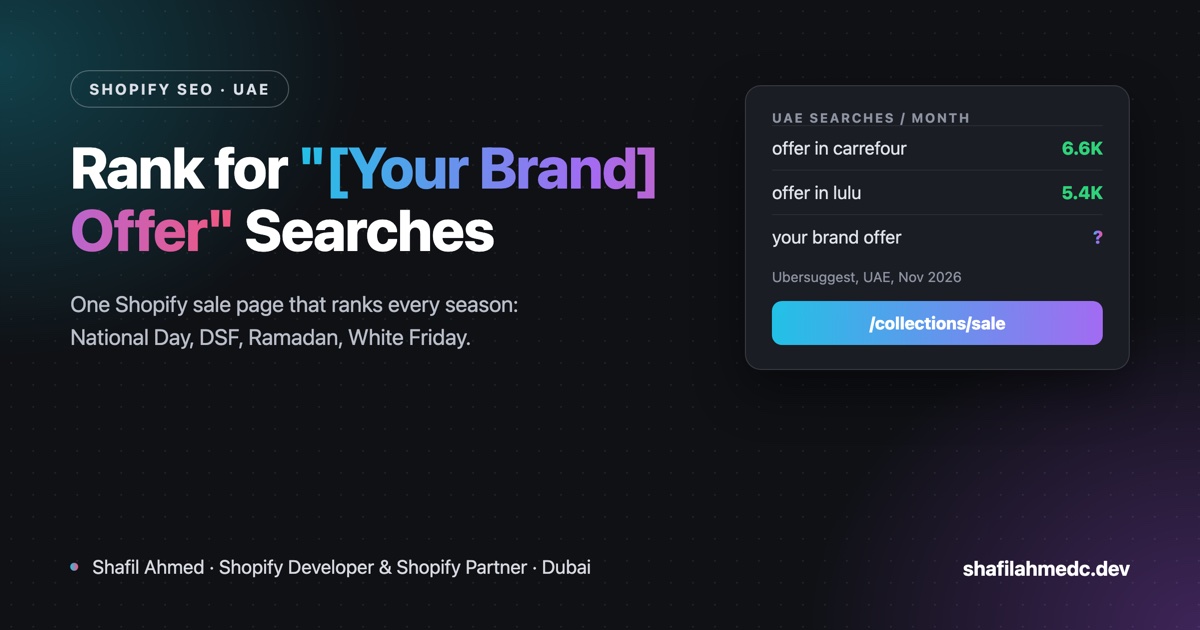
To rank for "[your brand] offer" searches, give your Shopify store one permanent sale page, with a URL that never changes, and update it every season. Put your brand name, "offer" or "sale" and the season in its title, link to it from your homepage and menu, and keep it live between sales.
UAE shoppers search for offers by brand name all year. In my Ubersuggest research for the UAE in November 2026, "offer in carrefour" had about 6,600 searches a month and "offer in lulu" about 5,400. Smaller brands get the same kind of searches, just fewer. If you'd like help setting this up, I do Shopify SEO in Dubai.
Why brand offer searches matter
Someone who searches "[your brand] offer" already knows you and wants to buy. They're only checking for a better price first. If your own page doesn't show up, they land on a coupon site, an old Instagram post or a competitor's ad.
Seasonal searches are big in the UAE. When I published my Black Friday dates page this month, Google showed it more than 1,800 times in two weeks, mostly to people asking "when" the sale was. Shoppers search early, so the page has to be ready before they do.
Step 1: Create one sale collection that never moves
In Shopify admin, go to Products > Collections > Create collection.
- Name it simply: "Sale" or "Offers".
- Make it automated: set the condition to products whose compare-at price is not empty. Any product you mark down appears on the page on its own, and drops off when you remove the compare-at price.
- Fix the URL: in the Search engine listing section, set the URL handle to something like
saleoroffers. No year, no event name. The same URL then works for National Day, the Dubai Shopping Festival, Ramadan and White Friday.
If you later change the handle, tick Create a URL redirect so the old address keeps working.
Step 2: Write a title and description that match the search
Still in Search engine listing, edit the page title and meta description for each season. Change the words, not the URL.
- Title:
[Brand] Offers: Winter Sale up to 40% Off | Dubai & UAE - Description: dates, the main offer and delivery, for example "Winter sale from 4 December to 17 January. Up to 40% off, free delivery in the UAE over AED 200."
Use the words people actually type. In the UAE that's often "offer" or "offers", not "deals" or "promotion".
Step 3: Add real text to the page
Most sale pages are just a grid of products, so Google has little to understand. Add a short collection description, 80 to 150 words:
- What's on sale, and the dates
- How the discount works (automatic or a code)
- Delivery cut-off dates and return terms during the sale
- A line in Arabic if you sell to Arabic speakers
Where the description shows depends on your theme. If it only appears in a tiny box above the products, I usually move it lower down the page so it doesn't push the products out of view on mobile.
Step 4: Link to it from everywhere
Google gives more weight to pages your own site links to often.
- Add Sale or Offers to the main menu, at least during sale seasons.
- Link the homepage banner to
/collections/sale, not to a different collection each time. - Link to it from your blog posts about the season, like your National Day sale or Dubai Shopping Festival posts.
- Use the same link in your emails, WhatsApp broadcasts and Instagram bio.
Step 5: Get it indexed early
Publish or update the page two to four weeks before the sale starts. Then in Google Search Console, paste the URL into the search bar at the top and click Request indexing. Do the same each time you change the title for a new season.
Step 6: Make the page fast on mobile
Sale traffic is mostly on phones, and sale pages are often the heaviest pages on a store, with big banners, countdown timers and pop-ups. In my speed test of 11 UAE Shopify stores, none showed their main content within Google's 2.5-second target on mobile.
- Compress the banner image and keep it under about 200 KB.
- Use one countdown or announcement app, not three.
- Don't make a pop-up cover the products the moment the page loads.
Step 7: Keep the page live after the sale
This is where most stores lose their rankings. When the sale ends:
- Don't delete the collection or switch off its products.
- Change the banner to "Our next sale starts [date]" or "Get our offers first" with an email or WhatsApp sign-up.
- Keep a few products on it, such as best sellers at full price, so the page is never empty.
Next season, update the title, banner and markdowns, and the page starts with everything it built last time.
A quick checklist
- One automated sale collection at
/collections/sale(or/offers) - Title and description with your brand, "offer" and the season
- 80 to 150 words of real text on the page
- Linked from the menu, homepage, blog posts and emails
- Indexing requested two to four weeks before the sale
- Mobile speed checked
- Kept live after the sale
Want me to check your sale page before the next season? Start with a free Shopify store check.
Search figures are from Ubersuggest (UAE, November 2026) and show monthly searches, which change by season.
Frequently Asked Questions
No. Use one sale collection with a URL that has no year or event in it, such as /collections/sale, and update the title, banner and products for each season. The page keeps the links and rankings it built last time instead of starting from zero.
Keep it live. Show the next sale date or an email and WhatsApp sign-up, and keep a few full-price best sellers on it. Deleting it or letting it go empty throws away its rankings.
Two to four weeks before the sale starts. Google needs time to find and rank it, and shoppers start searching for dates and offers before the sale begins.
You can't remove them, but an official offers page on your own domain, linked from your homepage and menu, usually ranks well for your own brand name. Make it the page that answers the question best: current offers, dates and terms.
If your store has an Arabic version, yes. Translate the sale collection's title and description so it can rank for Arabic offer searches as well.