
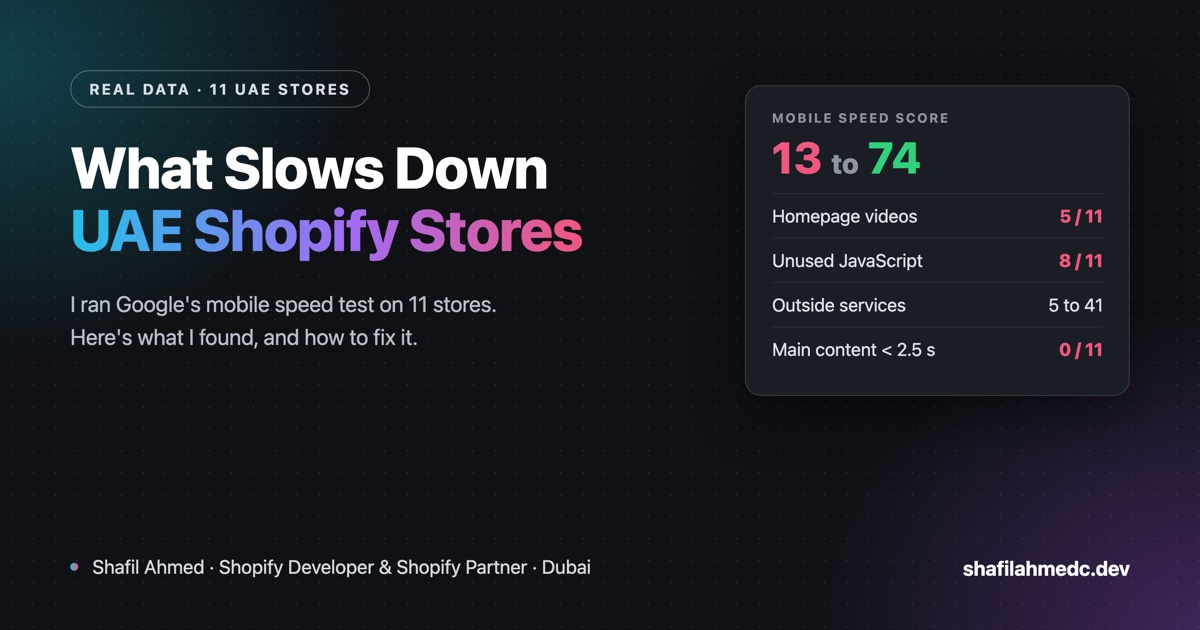
I tested the homepages of 11 UAE Shopify stores on mobile, and their Google speed scores ranged from 13 to 74 out of 100. None of them were slow because of Shopify itself. They were slow because of what was added on top: heavy videos, app scripts and tracking tags.
The stores sell perfume, fashion, beauty, kids' products, shoes and homeware, and most are well-known UAE brands. I'm not naming them. The point isn't who's slow, it's what makes a Shopify store slow, so you can check yours. If you'd like me to check it for you, my free Shopify store check does exactly this.
How I tested
- Tool: Google Lighthouse, the same test that powers PageSpeed Insights, in mobile mode.
- Page: each store's homepage, tested in November 2026.
- What it simulates: a mid-range phone on a slower mobile connection. Real visitors on fast 5G will see faster numbers, but the ranking of problems stays the same.
The results in numbers
- Mobile performance scores: 13 to 74. The middle store scored 49.
- SEO scores: 77 to 100. The SEO basics were mostly fine. Speed was the real problem.
- Time until the main content appears: 3.5 to 35 seconds, with the middle store at 9 seconds. Google's target is 2.5 seconds. None of the 11 met it.
- Homepage size on mobile: 2.2 MB to 72 MB. Six of the 11 homepages were over 10 MB.
- Outside services loaded: 5 to 41 per homepage, 18 for the middle store.
- Frozen screen: five stores had scripts blocking taps and scrolling for more than 0.6 seconds, and the worst for over 5 seconds.
The fastest store loaded 5 outside services. The slowest loaded 41. That pattern held across the whole group.
What slowed them down
1. Homepage videos (5 of 11 stores)
The single biggest problem. One homepage downloaded about 70 MB on a phone, mostly product videos that started loading as soon as the page opened. Two others loaded full-HD videos of about 24 MB each. Another embedded a YouTube player that added about 1 MB before anyone pressed play.
Videos look great on a laptop on office Wi-Fi. On a phone, shoppers stare at a blank space while the video loads.
Fix: show a still image first and load the video only when it scrolls into view. Compress mobile videos to about 1 to 2 MB, and never autoplay a full-HD file on mobile.
2. JavaScript that loads but isn't used (8 of 11 stores)
Eight stores loaded between 500 KB and 2 MB of JavaScript that the homepage never used. It comes from apps, old theme features and tracking tags, and the phone still has to download and run all of it.
A common cause: apps you uninstalled months ago that left code in your theme.
Fix: list every app, ask "do we still use this?", and remove the rest. Then check your theme code for leftovers from old apps. Load chat widgets and review widgets after the page, not before.
3. Too many outside services (most stores)
Google Tag Manager and the Facebook pixel were on 10 of the 11 stores, which is normal. The problem is everything stacked on top: email popups, reviews, heatmaps, TikTok, chat, currency converters, loyalty apps. The store with 41 outside services had the lowest score of the group, 13.
Every outside script is also a security question. After this autumn's Shopify app incidents, my Shopify security checklist is worth a look too.
Fix: keep one tag manager, one analytics tool and the pixels you actually use for ads. Remove duplicates.
4. The same tag loaded twice (2 stores)
Two stores loaded Google's tracking tag twice, usually once from the theme and once from Tag Manager or an app. That doubles the work and can also double-count your visits and sales in Analytics.
Fix: pick one place to install each tag, and remove the other.
5. Big files nobody asked for (2 stores)
One homepage downloaded a 14 MB magazine PDF in the background. Another loaded product photos of up to 1.4 MB each.
Fix: link to PDFs instead of embedding them, and upload product photos at around 2,000 pixels wide. Shopify converts them to modern formats automatically.
6. The page jumping while it loads (1 store)
One store's layout jumped around badly while loading, with a layout shift score of 0.49 (Google's limit for "good" is 0.1). Usually a banner, popup or font pushes everything down just as the shopper tries to tap.
Fix: give banners and images a fixed height in the theme, and show popups after a few seconds rather than during the first load.
A 30-minute speed check you can do today
- Run your homepage through PageSpeed Insights on the mobile tab and note the score and "Largest Contentful Paint" time.
- Scroll your homepage on your own phone over mobile data. Count how long until you see a product.
- Open Shopify admin → Apps and list every app. Mark the ones you haven't used in 3 months.
- Look for videos on your homepage. Check their file sizes in Shopify Files.
- Run the test again after each change, so you know what actually helped.
Why this matters for UAE stores
Most UAE shoppers browse on their phones, and they compare your store with Amazon.ae and noon, which load fast. A shopper who waits 9 seconds for the first product often never sees it. Speed is also part of how Google ranks mobile pages, so a slow homepage costs you both visitors and sales. If your store relies on Google traffic, my Shopify SEO service in Dubai covers speed as part of the work.
The good news from these 11 stores: none of the fixes needed a redesign. Removing, compressing and delaying things got most of them most of the way.
Want to know where your store stands? Ask for a free Shopify store check and I'll send you your top 3 fixes, the same kind of report these stores got.
Frequently Asked Questions
In the 11 UAE stores I tested, the usual causes were heavy homepage videos, too many app and tracking scripts, and JavaScript that loads but isn't used. Shopify's servers were rarely the problem; what the store adds on top is.
Google's mobile performance score runs from 0 to 100. 90 or more is good, 50 to 89 needs improvement, and under 50 is poor. Most Shopify stores with several apps score between 30 and 70, so focus on the actual loading time of your main content, ideally under 2.5 seconds.
Many do, because each app can add its own scripts to every page. Apps you uninstalled can also leave code behind in your theme. Review your apps once a quarter and remove what you don't use.
Not necessarily. Show a light image first, load the video only when it scrolls into view, and compress it to about 1 to 2 MB for mobile. In my test, the heaviest homepages loaded 23 to 70 MB of video on a phone.
Run your homepage through Google PageSpeed Insights on the mobile tab, or ask for my free Shopify store check, which turns the results into a short list of fixes.